Create a New Folder
On this page you can create, modify, and delete folders to organize applications for positions you are monitoring.
Here's how:
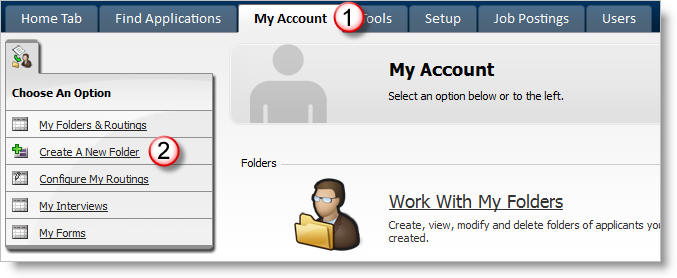
1) Click on the My Account tab.
2) Click on Create a New Folder.
A pop-up window should appear.
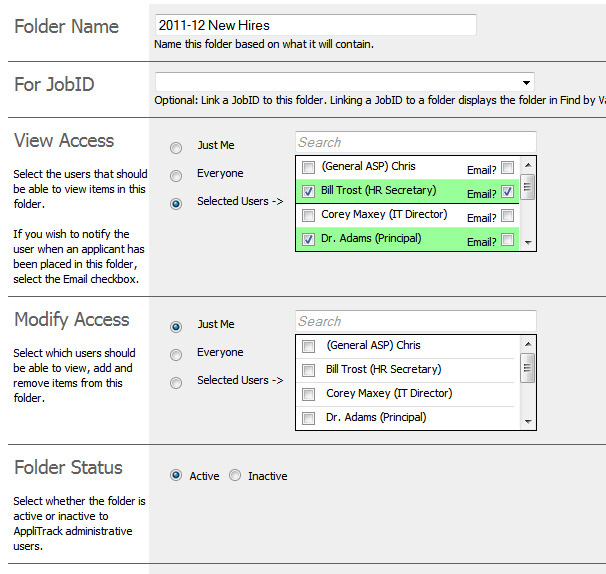
3) Type a name for your new folder.
4) You can select a job ID to link this folder to, if you wish.
5) In the View Access section of the window, click to select who can view applications, but not modify, add or remove them. If you would like the user to receive an email when an application is placed in their folder, select the "Email?" checkbox.
6) In the Modify Access section of the window, click to select who should be able to view, add and remove applicants from this folder.
7) Folders can be inactivated through the Folder Status section.
8) Click on Save and Close.
More Information:
*See Applications in My Folders