Edit My Folders
After you have created folders to organize the applications that you wish to monitor, you can view, modify, create and delete those folders using this page.
Here's how:
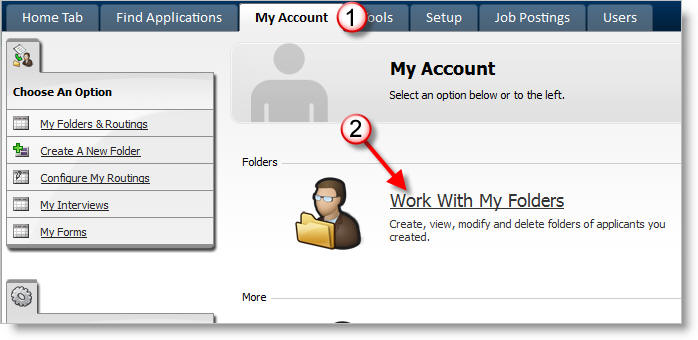
1) Click on the My Account tab.
2) Click on Work with my Folders.
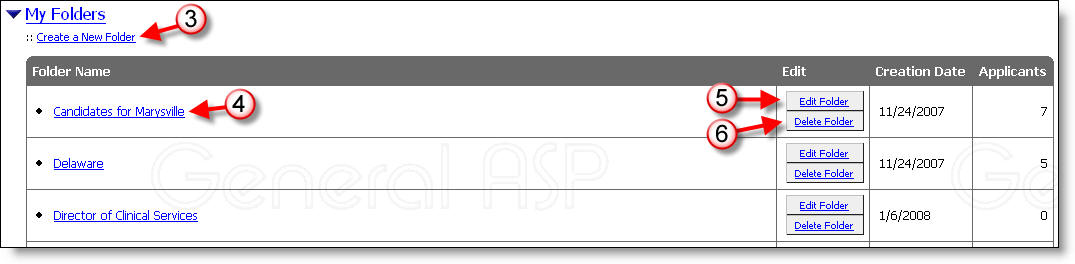
3) Click on the Create a New Folder link to add a new folder.
4) Click on a folder name to view the applicants that you are monitoring within that folder.
5) Click on Edit Folder to change the name of a folder, and modify who can access or view the folder.
6) Click on Delete Folder to remove the folder from your personal list of folders.
More Information: