See Applications in My Routings
On this page you can view and modify which positions your are monitoring.
Here's how:
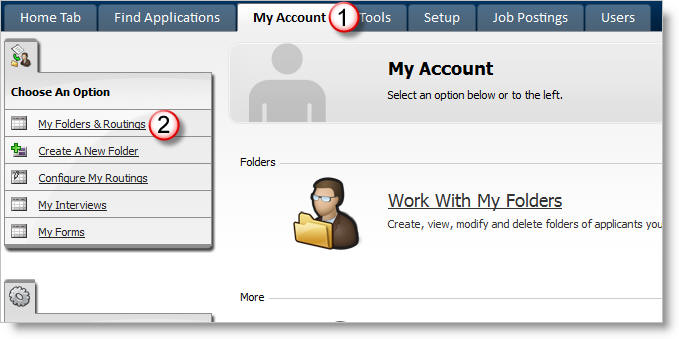
1) Click on My Account.
2) Click on My Folders & Routings.
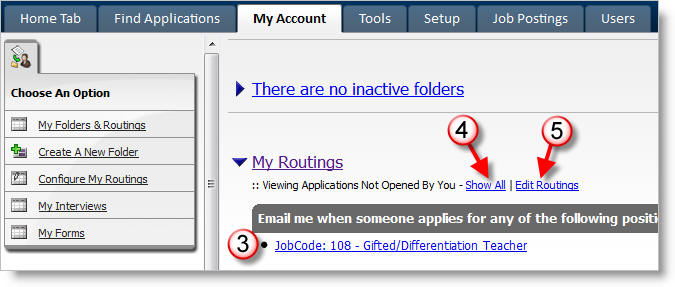
3) Click on the Job link to view the applications for that position that you have not opened.
4) Click on Show All to view all of the applications in your routings folders. (Notice that the link changes to Show Not Opened so that you can return to those applications that you have not previously opened).
5) Click on Edit Routings to modify the positions for which you are monitoring applications.