Modify Files and Log in as an Applicant
This section of the Tools tab allows you to perform various maintenance tasks on applicants files including Modify Files and Log in as this Applicant.
Here's how:
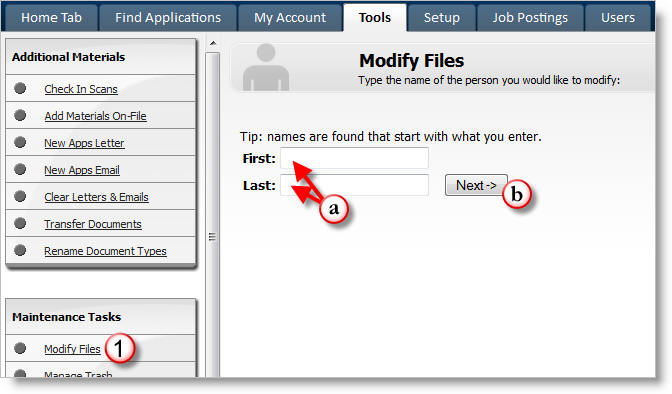
1) Click on Modify Files.
a) Type the name of the person's file you would like to modify.
b) Click on Next.
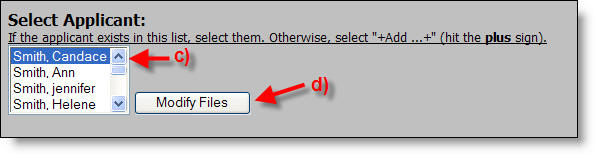
c) Select the applicant from the list.
d) Click on Modify Files.
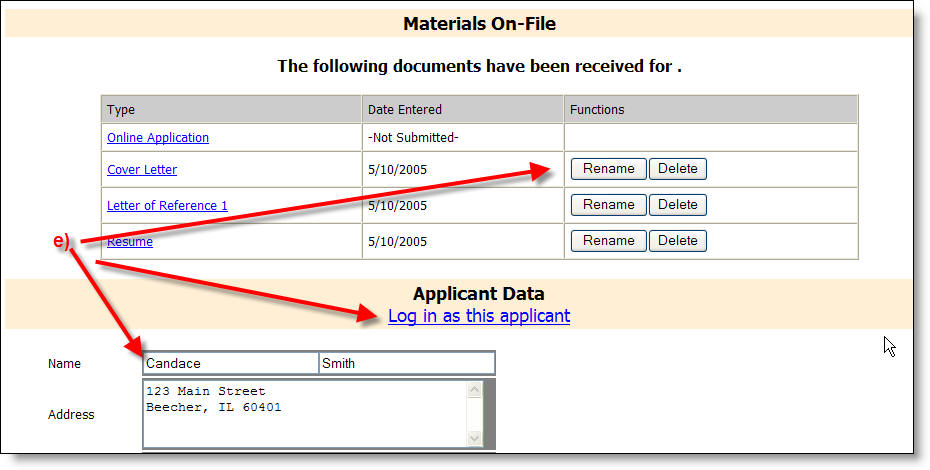
e) From this location you can modify applicant data or Log in as this applicant. If you scroll down you will also see the applicant's password, in case they forgot it.
For more information try the following links.